Competition day

Competition day, when every mat runs at once

Everyone promises registrations and brackets. But a competition holds together or jams in these hours: here is what KombatControl does while the matches are fought, and what you need at the venue. The images are the real application, which is in Italian.

01 · Rest

No athlete steps back on the mat without resting

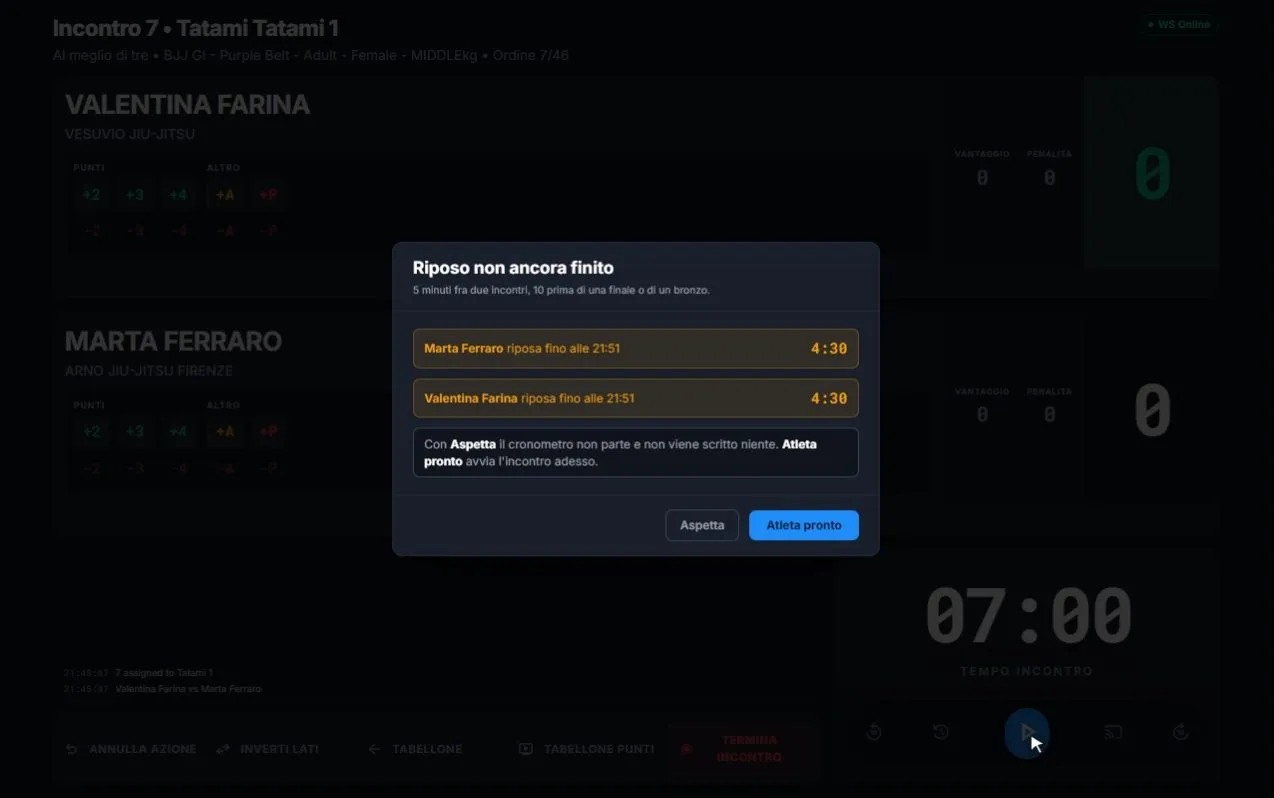
The rulebook asks for 5 minutes between two matches, 10 before a final or a bronze match. KombatControl counts them for every athlete: the mat queue shows who is resting and until when, the table warns before the clock starts, and the projector tells the audience why the mat has stopped.

  • It warns and doesn't block: if the athlete says they're ready, the referee decides
  • Countdown on the projector, in the corner's colour
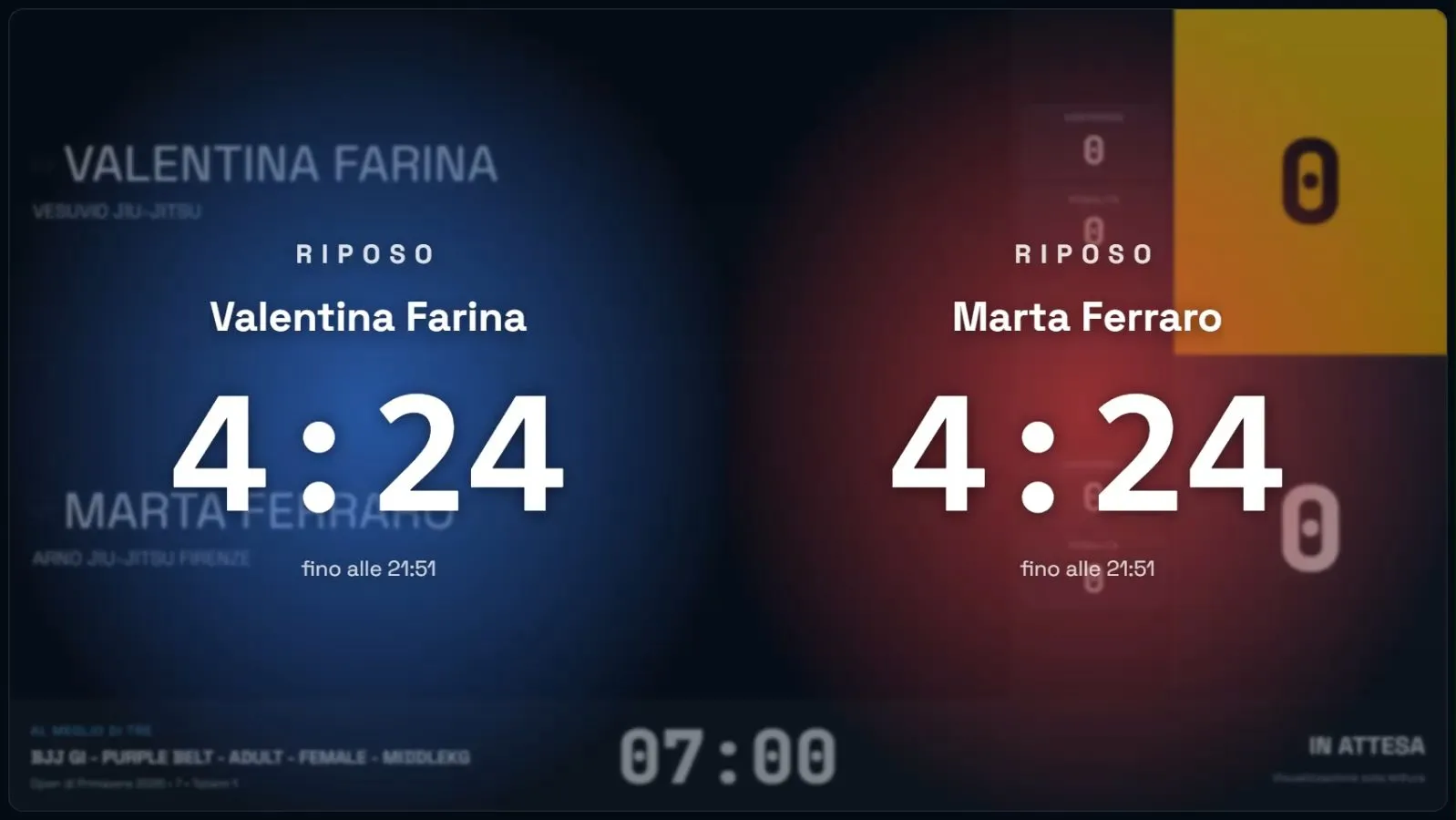
Projected scoreboard during rest: for each of the two athletes a countdown of 4 minutes 24 seconds and the time their rest ends.
Referee table: «Rest not over yet» warning with the two athletes, the time the rest ends and the Wait and Athlete ready buttons.
Projector and referee table, on the same match.
02 · Times

Every mat knows whether it's ahead or behind

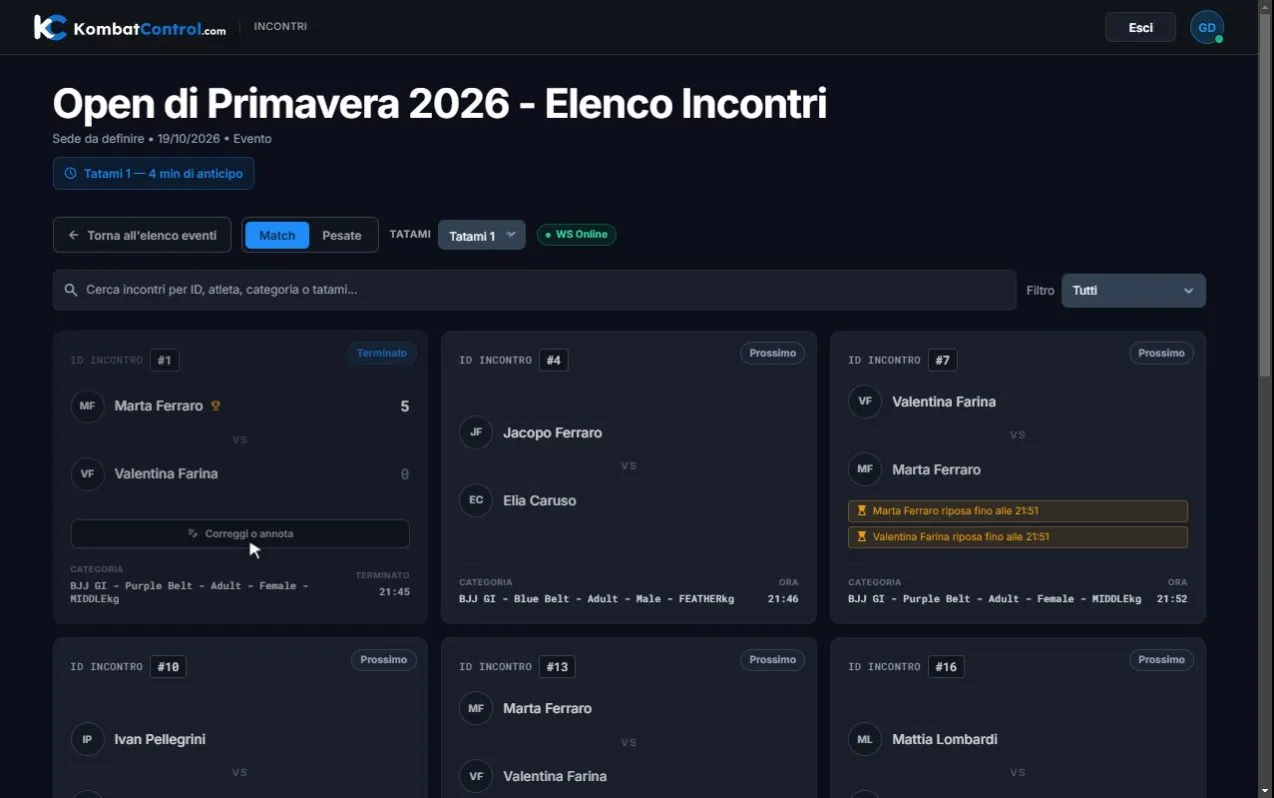
The schedule recalculates after every finished match. The table reads «Mat 1 — 4 min ahead», the organiser sees all the mats together, and coaches and athletes stop asking when they're up: the match time is in the queue, kept up to date.

  • Mat queue with the order, time and status of every match
  • Ongoing rests shown right on the match card
Match list of Mat 1 in the table app: «4 min ahead» indicator, a finished match with the Correct or note button and a match with two athletes still resting.
The queue of Mat 1 seen from the referee table.
03 · Disputes

A wrong result gets corrected, and stays on record

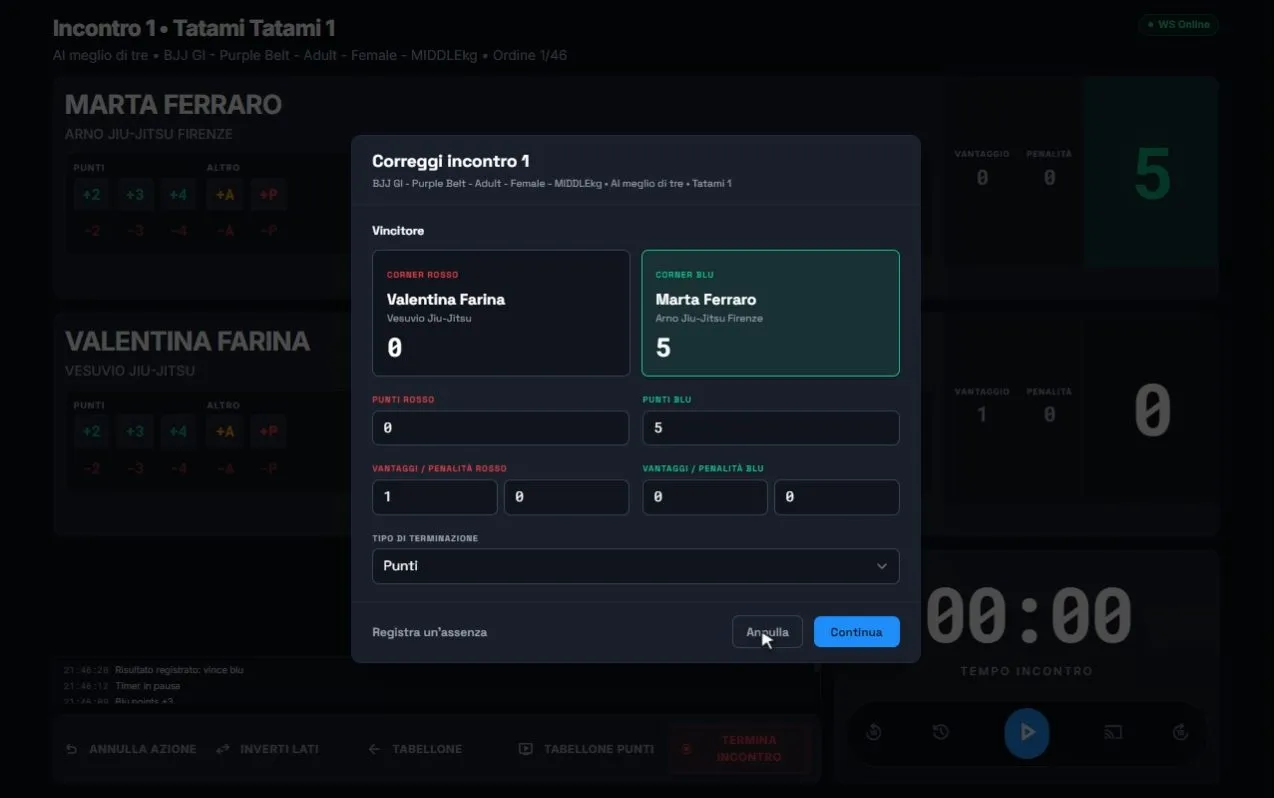
The complaint arrives half an hour later, about any match. Every finished match has its command: while a correction is still possible, winner, points and type of win change and the bracket recalculates; once the category has moved on, the dispute is noted next to the match instead of rewriting a bracket that has already been fought.

  • Every change stays on record next to the match
  • No bracket to redraw by hand
«Correct match 1» window on the referee table: winner, points, advantages, penalties and ending type can be changed.
Correcting a match that has already finished.
04 · Audience

Parents and coaches follow from their phones, with no app and no account

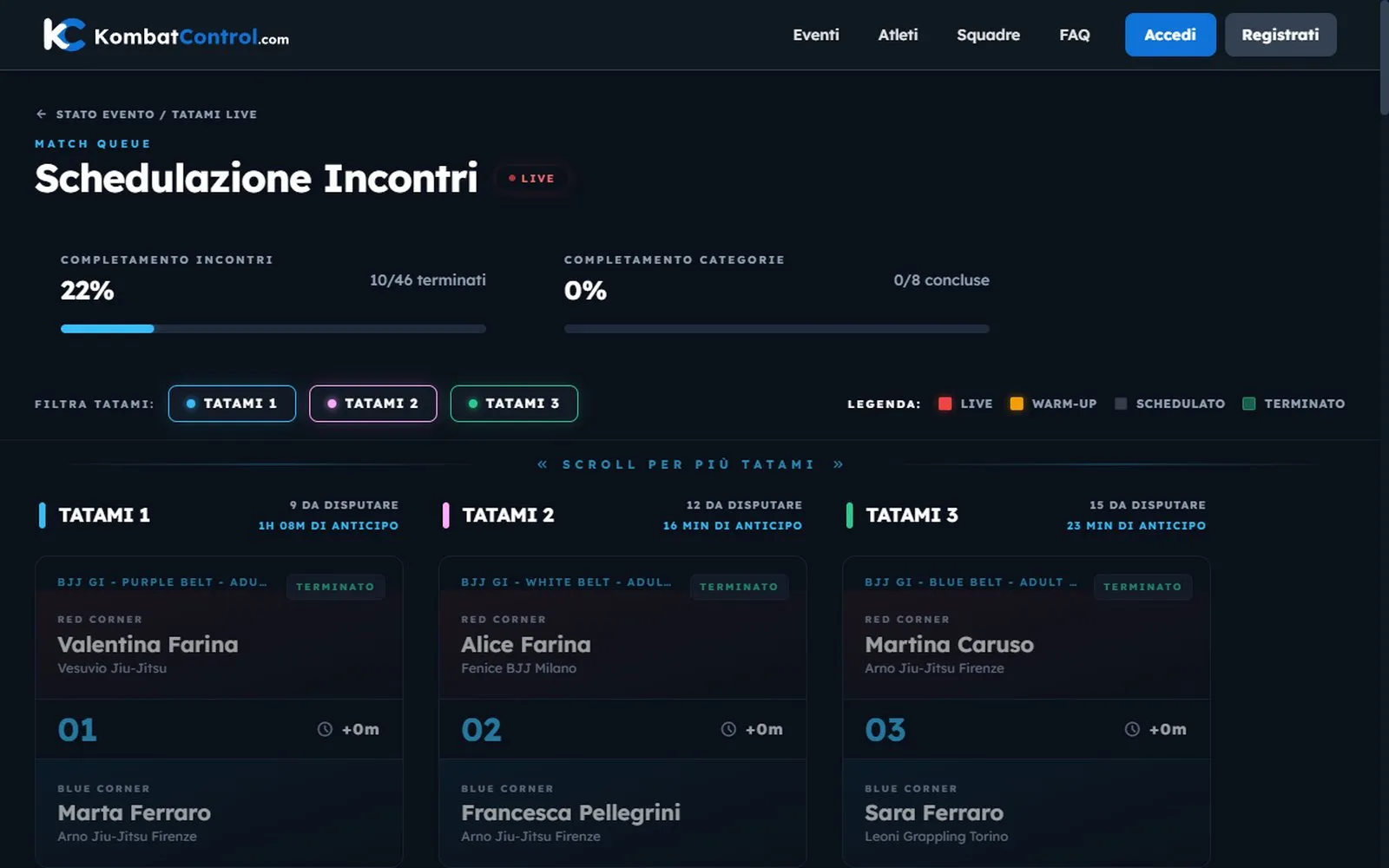
Mats, the match in progress, brackets and results open from a link and update by themselves. People in the stands know where the competition is without walking around the venue, and viewers are always read-only.

  • Progress of the competition and of every mat in real time
  • No sign-up, no app to install
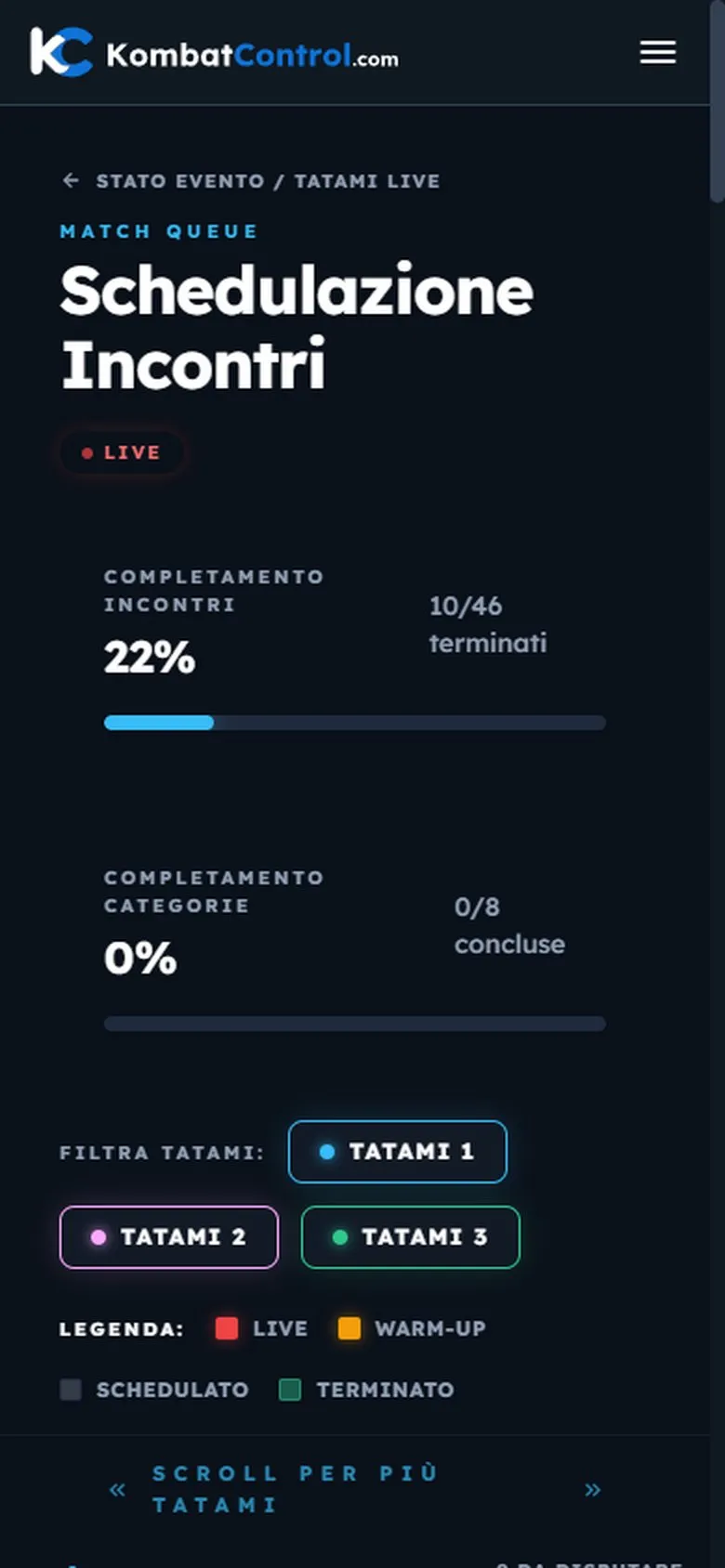
Public live mats page: completion of matches and categories, three mats each with its own lead and their matches.
The same public page on a phone: 22% of matches finished and a filter by mat.
The public mats page, on a computer and on a phone.
At the venue

What you need, and what happens if the network drops

Very little, and almost all of it is already there: only the referee table app gets installed. Everyone else works from the browser.

For every mat

A Windows computer at the table

With the KombatControl app: mat queue, clock, score, corrections. And an internet connection at the venue.

Optional

A projector or a second screen

Connected to the table's computer: the app opens the scoreboard for the hall there, and keeps it in step with the table.

Scales and desk

A browser

Registrations, weigh-ins, brackets and the mat schedule are managed on the web, from any computer or tablet.

Audience and coaches

Nothing to install

A link, on the phone: mats, matches, brackets and results update by themselves.

If the network drops

The match in progress doesn't stop

Clock, score and projected scoreboard run on the table's computer, and the projector follows the table without going through the network.

  • Recorded actions wait in a queue on the computer and go out by themselves, in order, as soon as the connection is back
  • The table always shows whether it's connected and how many actions are waiting
  • Confirming the result needs the server, which moves the bracket on: without a connection the table says so and keeps the result ready to send
FAQ

The questions we get asked most

All questions →
Do I need to install anything to use KombatControl?

Only the referee table desktop app, for Windows, which also opens the scoreboard on the projector. Organisers, athletes and spectators use the browser, on a computer, tablet or phone.

What you need at the venue →

What do I need at the venue on competition day?

A Windows computer with the referee table app for each mat, and an internet connection. If you want the scoreboard in the hall, connect a projector or a second screen to that computer: the app opens its second window there.

The scales, the desk and the audience install nothing: weigh-ins are recorded from the browser or from the app, and everything else opens from a link.

What you need at the venue →

What happens if the connection drops at the venue?

The match in progress doesn't stop: clock, score and projected scoreboard run on the table's computer, and the projector follows the table without going through the network. Recorded actions wait in a queue on the computer and go out by themselves, in order, as soon as the connection is back; the table always shows whether it is connected and how many actions are waiting.

Confirming the final result needs the server, because that is where the bracket moves on: without a connection the table says so and keeps the result in its window, ready to send.

If the network drops →

How is the minimum rest between two matches enforced?

KombatControl counts every athlete's rest: the mat queue shows who is resting and until when, the table warns before the clock starts, and the projector shows the countdown. It warns without blocking: if the athlete says they're ready, the referee decides.

Rest, on the projector and at the table →

What happens if an athlete doesn't show up?

The table records the win by absence, and the bracket moves on as with any other result. Where the rulebook has a call procedure, as in JJIF Fighting, the table runs it with the clock on screen before confirming. An absence already known at the scales can also be declared from the entry, without waiting for the call.

How is a wrong result corrected?

From the referee table, on the finished match: while a correction is still possible, winner, points and type of win change and the bracket recalculates; once the category has moved on, the dispute is noted next to the match. Every change stays on record.

The correction, screen by screen →

Can the audience follow the competition on their phones?

Yes, with no app and no account: mats, the match in progress, brackets and results open from a link and update by themselves. Viewers are always read-only.

The public page →

Your next competition, under control

We'll show you KombatControl on an event like yours: your federation, your categories, your mats. And if it's the right event, we'll set it up together.

Apply with your event

Federation, date, expected entries and number of mats: we'll reply with a demo built on those numbers.

Your details are used only to reply to your application. Privacy policy

Prefer email? info@kombatcontrol.com